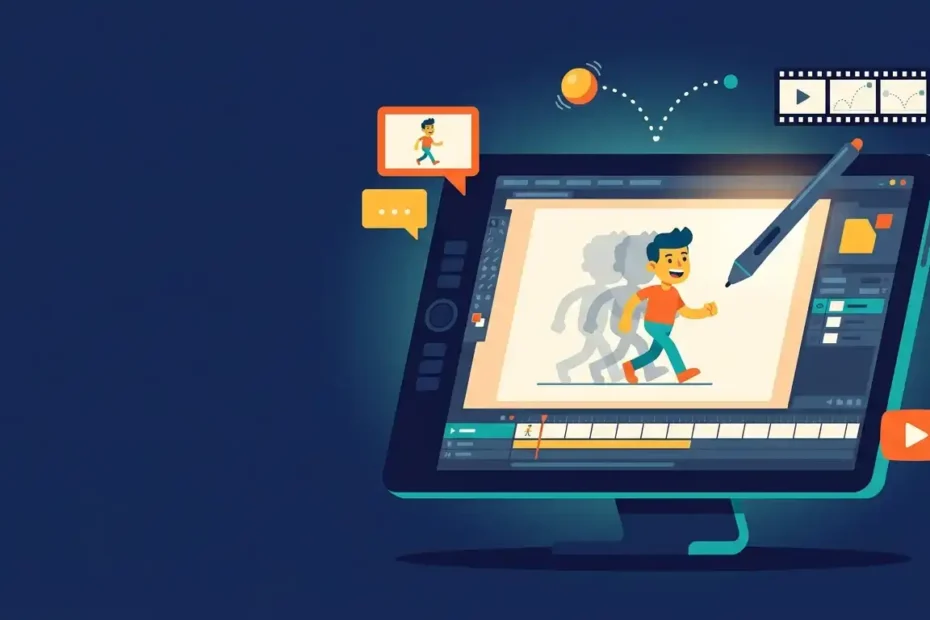
You open your animation software, and the timeline looks like an airplane cockpit. Your character slides across the screen instead of walking. The tutorial you watched skipped the one step you actually need. Sound familiar? Thousands of artists hit this wall every week. This guide removes that wall. You will learn what Toon Boom is, what it costs, which studios trust it, and exactly how to start animating with it today.
What Is Toon Boom?
Toon Boom is a Canadian software company that builds professional 2D animation and storyboarding tools. Its flagship product, Toon Boom Harmony, handles everything from rough sketches to final rendered scenes. Storyboard Pro, its second flagship, covers storyboards and animatics before production starts.
The company started in 1994 in Montreal, Quebec. Since then, its tools have powered television series, feature films, web content, video games, and training materials across the globe. When people in the industry say “Harmony,” they mean Toon Boom.
Here is what the software covers in one sentence: drawing, rigging, animating, compositing, effects, and exporting finished 2D animation. That full pipeline in a single program explains why studios build entire productions around it.
A Quick Look at the History of Toon Boom
The company bought the animation software division of USAnimation in 1996. That purchase became Toon Boom Opus, and Opus later evolved into Harmony. The product line grew through smart acquisitions over two decades.
Key milestones worth knowing:
- 1994: Company founded in Montreal, Canada.
- 1996: Acquired USAnimation’s software business, creating Opus.
- 2004: Corus Entertainment, owner of the Nelvana studio, bought a 50% stake.
- 2006: Acquired French developer Pegs’n Co.
- 2009: Acquired Cambridge Animation Systems, maker of Animo.
- 2012: Corus took full ownership. That same year, the company picked up its second Engineering Emmy.
- 2017: Launched Producer, a web-based production tracking tool.
- 2023: Corus sold the company to Integrated Media Company, part of private equity firm TPG, for US$111 million.
Two Primetime Engineering Emmy Awards, one in 2005 and one in 2012, sit on the shelf. The Television Academy gives these to technology that changes how television gets made. That tells you how deeply the tools shaped modern animation production.
Toon Boom Harmony: The Flagship Animation Powerhouse
Harmony is where the real work happens. It supports three complete animation workflows, so one team can handle almost any 2D project.
1. Cut-out (puppet) animation. You build a character once from separate parts, then animate a digital puppet. Hit series use this method because it saves enormous time on long production runs.
2. Paperless frame-by-frame animation. You draw every frame directly in the software with a pen tablet. Textured pencil lines give digital drawings a warm, hand-drawn feel.
3. Traditional scan and paint. You draw on paper, scan the sheets, and let the software handle ink, paint, and compositing.
The feature list goes deep. Deformation tools bend and stretch artwork. Inverse kinematics moves connected limbs naturally. Morphing, particles, a built-in compositor, 3D camera moves, and 2D-3D integration all ship inside the box. Master Controllers let animators pose complex rigs with single widgets, a genuine time-saver on tight deadlines.
Harmony runs on Windows, macOS, and Linux, and the interface ships in English, Spanish, Japanese, and Chinese. The latest stable release landed in June 2025, and updates arrive steadily.
Toon Boom Storyboard Pro: Plan Every Shot Before You Animate
Great animation starts with a great plan. Storyboard Pro handles the pre-production phase: storyboards and animatics for 2D shows, 3D films, stop motion, and even live action.
Artists draw with vector and bitmap brushes, then time their panels on a real timeline. A virtual camera creates pans, zooms, and multiplane moves. Audio tools drop dialogue and music right onto the board, so the animatic plays like a rough cut of the final episode.
The software also imports 3D models. Board artists can pose a 3D set or prop, draw over it, and keep perspective accurate without a struggle. Boards export straight into Harmony, which keeps the whole production inside the Toon Boom ecosystem.
Producer and Ember: The Newest Tools in the Family
Two more products round out the lineup.
Producer tracks production for studios. It manages assets, assigns tasks, and follows every scene from storyboard to final render, all inside a web browser. Studios with dozens of artists use it to stop work from falling through the cracks.
Ember is the newest member of the family. It brings generative AI tools into the animation workflow, signaling where the company plans to go next. Expect this space to grow quickly over the next few years.
How Much Does Toon Boom Cost?
Harmony sells as a subscription with three tiers. Pricing in the United States breaks down like this, and the official site lists current regional rates.
- Harmony Essentials — about $28.50/month. Basic cut-out and paperless animation, vector drawing tools, HD and 2K camera resolution. Built for students and hobbyists.
- Harmony Advanced — about $71/month. Everything in Essentials plus bitmap drawing, 4K resolution, advanced paperless tools, and traditional scan and paint. Built for professional series and film work.
- Harmony Premium — about $129.50/month. Everything in Advanced plus full effects compositing, 8K+ resolution, 2D game export, and the deepest rigging tools. Built for studios.
Every plan starts with a 21-day free trial, and no credit card is required to test it. That trial gives you three full weeks to decide.
Storyboard Pro sells separately, also by subscription, with monthly and annual options. Students and schools can access education pricing, so check the official store before you pay full price. When you compare Toon Boom pricing with the cost of hiring extra cleanup artists, the math often favors the software.
Toon Boom Harmony Tiers Compared: Full Feature Table
This table puts all three Harmony editions side by side. Use it to match your budget to your actual needs before you subscribe.
| Feature | Essentials (~$28.50/mo) | Advanced (~$71/mo) | Premium (~$129.50/mo) |
|---|---|---|---|
| Best for | Students, hobbyists, beginners | Professional animators, series work | Studios, film, 2D games |
| Cut-out animation | Basic | Advanced | Advanced + Master Controllers |
| Paperless frame-by-frame | Basic | Advanced | Advanced |
| Traditional scan & paint | No | Yes | Yes |
| Drawing tools | Vector | Vector + Bitmap | Vector + Bitmap + textured lines |
| Max camera resolution | 2K | 4K | 8K and above |
| Deformers and rigging | Basic bones | Full deformer suite | Full suite + advanced nodes |
| Effects and compositing | Limited | Standard | Complete node-based compositor |
| Particles and 3D integration | No | Partial | Yes |
| Game engine export (Unity) | No | No | Yes |
| Multi-user database option | No | Yes (Harmony Server) | Yes (Harmony Server) |
| Free trial | 21 days | 21 days | 21 days |
A simple rule works for most buyers. Start with Essentials. Move to Advanced when you need bitmap textures or 4K output. Choose Premium when you work in a pipeline with compositors, or when you ship animation to a game engine.
Who Uses Toon Boom? Famous Shows and Studios
You have already watched Toon Boom animation, probably without knowing it. The software sits behind some of the biggest animated shows of the past two decades.
Well-documented examples include:
- Rick and Morty — animated at Bardel Entertainment
- Bob’s Burgers — animated at Bento Box Entertainment
- Hilda — animated at Mercury Filmworks
- Looney Tunes Cartoons — Warner Bros. Animation’s return to classic characters
- Klaus — The SPA Studios’ Oscar-nominated, BAFTA-winning feature film
Klaus deserves extra attention. The team drew the film frame by frame in Harmony, then applied a custom lighting process that made flat drawings look sculpted. Audiences thought they watched a 3D movie. They watched 2D animation pushed further than anyone expected.
Major networks and studios license the tools for production worldwide. The software now ships in over a hundred countries, and studios from Los Angeles to Tokyo run their pipelines on it.
Toon Boom vs the Competition: Honest Comparisons
No tool wins every category. Here is how the main alternatives stack up.
| Software | Price | Strengths | Weaknesses |
|---|---|---|---|
| Toon Boom Harmony | ~$28.50–129.50/mo | Full production pipeline, studio-grade rigging, compositing | Subscription cost, steeper learning curve |
| Adobe Animate | ~$22.99/mo | Web and interactive content, familiar Adobe feel | Weaker rigging and compositing for series work |
| TVPaint | One-time (~€590+) | Beautiful bitmap drawing, traditional animation feel | No advanced puppet rigging |
| OpenToonz | Free | Studio-proven, zero cost | Dated interface, sparse official training |
| Clip Studio Paint | One-time or cheap sub | Great drawing tools, affordable | Animation features stay basic |
Versus Adobe Animate: Animate works well for web banners and interactive projects. Harmony wins for television, film, and anything that needs serious rigging or compositing. Many studios keep both.
Versus free tools like OpenToonz: Free software gets you started with zero risk. Professional studios still pay for Harmony because support, pipeline features, and hiring pools justify the price.
Is Toon Boom Good for Beginners?
Honest answer: it takes more effort than a casual app, and it rewards that effort more too.
The interface packs decades of professional features into one screen. New users sometimes freeze when they first see the Node View. That reaction fades fast once you finish one complete short scene.
Three things flatten the learning curve:
- Start with Essentials. The lower tier hides advanced panels you do not need yet.
- Follow the official free courses. The company’s Learn Portal teaches the exact workflow professionals use.
- Finish tiny projects, not big ones. A five-second walk cycle teaches more than an unfinished ten-minute short.
Beginners also love that skills transfer directly into paid work. When a studio job post asks for Harmony experience, your practice projects count.
How to Learn Toon Boom: A Simple 7-Day Starter Plan
You do not need months to make your first animation. Follow this plan during the free trial.
Day 1: Set up and explore. Download the trial, connect a pen tablet, and open a sample scene. Click every toolbar button once. Curiosity beats confusion.
Day 2: Draw your first frames. Open the Brush and Pencil tools. Draw a bouncing ball in three poses, then add in-betweens. Watch it move.
Day 3: Learn the timeline. Add drawing layers, extend exposures, and use onion skinning to see previous and next frames.
Day 4: Try a simple rig. Build a paper-doll character from six parts. Add bones, then pose it with the Transform tool.
Day 5: Animate the rig. Set keyframes, adjust ease in the Function editor, and let the software tween the motion.
Day 6: Add a camera move and export. Place a camera, create a slow push-in, and render an MP4.
Day 7: Share and review. Post your clip, collect feedback, and write down what felt hard. That list becomes week two’s curriculum.
After the first week, pick the official Toon Boom certification path or a community course. Consistency beats intensity here: thirty focused minutes a day outperforms one lost weekend.
System Requirements and Setup: What You Need to Run It
The software runs on ordinary modern machines, but animation rewards good hardware. Plan for these basics:
- Operating system: 64-bit Windows 10 or 11, a recent macOS, or a supported Linux distribution
- Memory: 8 GB minimum, 16 GB or more for comfortable HD work
- Storage: Fast SSD with room for project files, which grow quickly
- Display: 1080p minimum; a second monitor helps a lot
- Input: A pressure-sensitive pen tablet or pen display (Wacom, XP-Pen, Huion all work)
The pen tablet matters most. Drawing animation with a mouse feels like signing your name with a brick. Even an inexpensive tablet transforms the experience.
One more setup note: Harmony is desktop software. There is no full iPad version, so plan your workspace around a computer.
Certification, Careers, and Getting Hired
Studios hire for skills they can verify. The company runs an official certification program that tests real Harmony knowledge, and passing it gives your portfolio a credible stamp.
Job boards confirm the demand. Studios like Bardel, Mercury Filmworks, and Titmouse regularly post roles that ask for Harmony experience by name. Common titles include:
- 2D animator (cut-out or frame-by-frame)
- Character and prop builder (rigging artist)
- Storyboard artist (Storyboard Pro)
- Compositor and FX artist
- Technical director and pipeline roles
Education keeps feeding this pipeline. Animation schools around the world teach the software as a core subject, because graduates walk straight into studio pipelines that already run it. Learning Toon Boom today means speaking the industry’s common language tomorrow.
Pro Tips: Work Faster Inside Toon Boom
These habits separate productive artists from frustrated ones.
- Name everything. Layers, pegs, and nodes multiply fast. Clear names save hours at render time.
- Live in the Node View. Harmony’s node system looks strange at first, then becomes the most powerful part of the software. Effects, composites, and rigs all connect there.
- Use the Library. Save characters, props, and reusable animation cycles as templates. Never draw the same hand twice.
- Set custom shortcuts. Map your ten most-used tools to comfortable keys. Speed comes from fewer clicks.
- Save incremental versions. Scene_v01, scene_v02, and so on. A corrupt file costs minutes, not weeks, when you version properly.
- Animate on twos first. Hold each drawing for two frames, then add ones only where motion needs them. Your scenes finish faster and still look smooth.
Pick one tip per week and make it a habit. Small workflow gains compound across a whole production.
The Future of Toon Boom: Where the Software Heads Next
The 2023 sale to Integrated Media Company brought fresh investment into the product line. Updates since then shipped faster, and the 2025 release cycle continued that pace.
Ember, the new suite with generative AI tools, points at the roadmap. Expect AI to handle tedious in-between work while artists keep creative control. The studio demand for hybrid 2D-3D pipelines also keeps growing, so deeper 3D integration looks like a safe bet.
For artists, the message stays simple. Skills in the Toon Boom ecosystem will stay relevant as the tools evolve, because studios change features faster than they change pipelines.
Frequently Asked Questions
Is Toon Boom free?
No, the software is paid, but every Harmony plan includes a 21-day free trial with no credit card required. Students and schools can also access education pricing through the official site.
What is Toon Boom used for?
Studios and independent artists use it to create 2D animation for television series, feature films, web series, advertisements, and video games. Harmony handles animation from drawing to final render, while Storyboard Pro covers storyboards and animatics.
Is Toon Boom hard to learn?
The basics feel approachable within a few days, especially on the Essentials tier. Mastery takes months because the software runs deep, but the free official courses and a huge tutorial community make the path clear.
Is Toon Boom better than Adobe Animate?
For studio animation, yes: rigging, compositing, and pipeline tools all run stronger in Harmony. Adobe Animate still wins for interactive web content and Adobe-ecosystem workflows. Many professionals keep both installed.
Can I run Toon Boom on an iPad or low-end laptop?
There is no full iPad version, so you need a Windows, macOS, or Linux computer. A modest modern laptop with 8 to 16 GB of RAM and an affordable pen tablet runs the software fine for learning and HD projects.
Do professional studios actually use Toon Boom?
Yes. Series like Rick and Morty, Bob’s Burgers, and Hilda were animated with it, and the film Klaus earned an Oscar nomination with Harmony at the core of its workflow. Two Engineering Emmy Awards confirm its place in television production.
Final Thoughts: Your Next Frame Starts Today
You now know what Toon Boom is, what it costs, who trusts it, and how to learn it in seven days. The only step left is the first one.
Download the free trial today. Animate one bouncing ball this week, one finished scene this month, and one complete short this season. Every professional animator you admire started with a single clumsy frame, and the tools have never been more welcoming than they are right now.
Have a question about getting started, or a first project you want advice on? Drop it in the comments below, share this guide with a fellow artist, and keep creating. Your audience is waiting.