
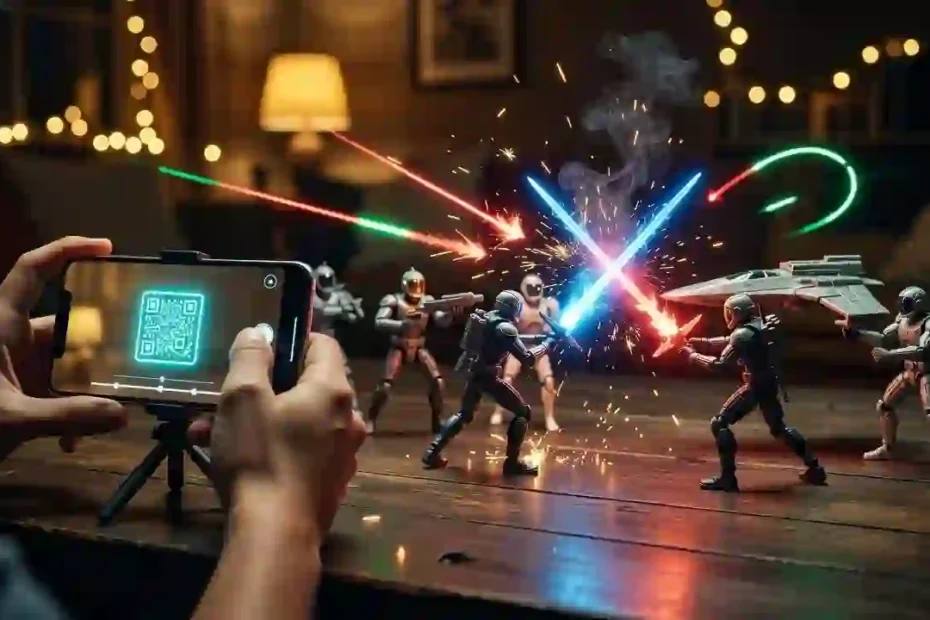
Hunting for real Star Wars Movie FX Maker Codes feels annoying when copycat blogs share fake words that fail every single time. Worse yet, sketchy download pages push risky files and false promises while hiding the truth about Hasbro’s retired app. This friendly guide shows how the real toy QR scans worked, busts fake cheat lists, and gives you free Star Wars movie effects today.
What Are Star Wars Movie FX Maker Codes and How Did They Start?
Real Star Wars Movie FX Maker Codes were square black-and-white QR tags printed on Hasbro Star Wars toy boxes in September 2016. Hasbro built a free phone app called Star Wars Studio FX so kids could film toys with cool laser effects. Young directors quickly called it the Star Wars Movie FX Maker because it turned bedroom rugs into noisy space battles.
The Lucasfilm Official Star Wars Rogue One Press Archive confirms that this app arrived on September 30, 2016 alongside Rogue One toys. Kids pointed a phone at plastic figures and added flying ships, bright sparks, and beeping droids right onto the screen. Five free starter effects worked right away, while twenty-five bonus scenes waited inside an in-app vault.
Hasbro never put a keyboard box inside that app for typing secret words or numbers. Every real unlock came from scanning a square QR tag on a toy box or filming short clips for silver coins. Knowing that one simple fact saves you hours of trouble when reading random code lists online.
The launch app packed thirty fun sound and video overlays into five simple action groups. Each group helped kids turn still plastic toys into loud movie heroes in seconds:
- Starfighter Flybys: Rebel X-Wing laser runs and loud TIE Fighter sweeps that zoomed across living room ceilings.
- Heavy Ground Blasts: Giant AT-ACT walker cannon shots, flying dirt clouds, and bright red or green blaster bolts.
- Droid Guest Stars: Rolling BB-8 clips and classic R2-D2 beeps that moved right beside real toys on the floor.
- Trooper Firefights: Marching Stormtrooper squads, dark Death Trooper blasts, and bright orange Flametrooper fire streams.
- Lightsaber Clashes: Flashing blade sparks and deep Kylo Ren crossguard hums built for Hasbro Bladebuilders toy sabers.
Why Did Official Star Wars Movie FX Maker Codes Stop Working Online?
Hasbro shut down the Star Wars Studio FX app for good and turned off its online servers on June 30, 2023. You cannot find the app on the Apple App Store or Google Play Store anymore. Because Hasbro closed those servers, old Star Wars Movie FX Maker Codes cannot connect online for fresh app downloads.
Hasbro actually planned a much shorter run when the first toy boxes hit store shelves in 2016. Printed sheets inside Hasbro Star Wars Bladebuilders Lightsaber Instructions listed initial app support running through June 30, 2018. Big fan love kept the app running five extra years before Hasbro finally retired the old code.
The Hasbro Mobile Application ESRB Privacy Notice shares one more great detail about how the app worked. Every video clip you filmed stayed right on your own phone or tablet memory instead of going to outside web servers. Because clips stayed on your device, families who kept the app on an old iPad can still film basic scenes offline today.
If you email Hasbro Consumer Care about broken scans today, staff treat the app as a closed classic product. Hasbro makes no new updates, toy QR tags, or holiday packs in 2026. Knowing that clear timeline helps you skip fake blog posts that promise brand-new monthly codes.
Master Verification Chart of Star Wars Movie FX Maker Codes and Unlocks
This complete chart sorts real toy scans from mixed-up game cheats so you can check Star Wars Movie FX Maker Codes fast. Many copycat sites toss real Hasbro box tags, console game cheats, and made-up words into one messy list. Check the five columns below to see what works, what fails, and where each item truly belongs today.
| Code or Unlock Name | System Type | Real Origin | What It Unlocks | 2026 Status |
|---|---|---|---|---|
| Rogue One Rebel U-Wing QR | Printed QR Tag | Hasbro Rogue One Box (2016) | X-Wing and U-Wing laser strike scene plus silver coins | Works offline on old app installs only |
| Imperial AT-ACT Walker QR | Printed QR Tag | Hasbro Rogue One Walker Box | Heavy walker blast with screen shake and dark smoke | Works offline on old app installs only |
| Bladebuilders Kylo Ren QR | Printed QR Tag | Hasbro Electronic Saber Box | Red crossguard clash sparks and deep hum sound | Works offline on old app installs only |
| Bladebuilders Luke Saber QR | Printed QR Tag | Hasbro Green Lightsaber Box | Bright green Jedi flash and classic saber whoosh | Works offline on old app installs only |
| 5-Second Clip Coin Trick | In-App Action | Hasbro Star Wars Studio FX | Free silver coins to open all 30 locked movie effects | Works 100% offline on old app installs |
| ARVALA7 | 7-Letter Cheat | LEGO Star Wars Skywalker Saga | Unlocks The Razor Crest ship inside the console game | Works in LEGO Star Wars game only |
| KH7P320 | 7-Letter Cheat | LEGO Star Wars Skywalker Saga | Unlocks blue Jedi Master Aayla Secura in free play | Works in LEGO Star Wars game only |
| 3FCPPVX | 7-Letter Cheat | LEGO Star Wars Skywalker Saga | Unlocks Grand Moff Tarkin officer character in game | Works in LEGO Star Wars game only |
| SIDIOUS | 7-Letter Cheat | LEGO Star Wars Skywalker Saga | Unlocks Emperor Palpatine with blue Force lightning | Works in LEGO Star Wars game only |
| LIFEDAY | 7-Letter Cheat | LEGO Star Wars Skywalker Saga | Unlocks red festive Holiday Gonk Droid character | Works in LEGO Star Wars game only |
| SHUTTLE | 7-Letter Cheat | LEGO Star Wars Skywalker Saga | Unlocks Resistance Transport ship for space travel | Works in LEGO Star Wars game only |
| SW_LS_BLUE_001 / RED_002 | Fake Text Word | Copycat Content Blogs | Unlocks nothing at all because no text box existed | Fake code; never worked anywhere |
| HologramFX2026 / ForcePush2025 | Fake Promo Text | Copycat Content Blogs | Unlocks nothing; made up years after app shutdown | Fake code; skip right away |
| #0066FF / Core 2.2 / Glow 45% | Free VFX Preset | Video Copilot Saber Plug-in | Builds bright blue Jedi saber on Mac and Windows | Active and 100% free today |
Save this handy chart whenever your kids spot a viral Star Wars code video online. Always check the third column before trying any word or scan. Real Hasbro unlocks came on cardboard toy boxes, while seven-letter text codes belong inside LEGO Star Wars on game consoles.
How the Original Hasbro Toy Box QR System Worked at Home
Hasbro built the QR scan feature to link bedroom toys with quick phone movies during the Rogue One launch. Box artists printed neat black-and-white square tags on box backs, paper inserts, and figure cards. Tapping the scan button inside Star Wars Studio FX turned your rear camera into a fast badge reader.
You held your phone six inches above the cardboard tag under a bright lamp until a green square locked on. The app chirped like R2-D2 and dropped either a fresh battle scene or shiny silver coins into your bank. Kids loved checking every flap of a birthday toy box before putting the cardboard in the trash.
Five popular Hasbro toy sets carried the most famous QR tags during that golden run. Collectors still spot these square badges on sealed 2016 boxes at local toy shows:
- Rebel U-Wing Fighter Toy: Added fast Rebel sky laser runs made for outdoor grass battles.
- Imperial AT-ACT Cargo Walker: Dropped loud stomping walker steps and giant orange ground blasts.
- Jyn Erso and Cassian Andor Figures: Gave players bonus silver coins and rapid Rebel blaster fire.
- K-2SO and Death Trooper Figures: Unlocked green trooper laser bolts and crisp metal droid sounds.
- Darth Vader and Luke Bladebuilders Sabers: Matched plastic toy hilts with bright clash flashes on screen.
One smart touch delighted kids who bought two figures from the very same wave. Hasbro set many QR tags to award extra silver coins when you scanned a matching box style twice. Every single toy package pushed players closer to owning all thirty movie scenes without spending extra cash.
How to Unlock Legacy Studio FX Scenes Offline Without Any Codes
You can still open every single classic effect without toy boxes if an old iPad or phone at home keeps the app. Hasbro built a free coin loop right inside the app so every kid could earn everything through play. That clever coin system means old tablet owners never need Star Wars Movie FX Maker Codes to open all thirty scenes.
The Lucasfilm Official Star Wars Rogue One Press Archive praised this free coin setup before the toys even hit stores. Each time you filmed and saved a short clip with one of the five free effects, the app paid you silver coins. Six quick test clips gave you enough coins to unlock a brand-new TIE Fighter or droid scene offline.
Try these four easy steps on any old phone or tablet that still holds the original Hasbro app. You will open the whole vault in under ten minutes:
- Turn On Airplane Mode First: Switch off Wi-Fi and cell data so the old app never freezes while looking for dead Hasbro servers.
- Pick Any Free Starter Scene: Tap the free blaster shot or smoke blast on the main wheel and press the big red record button.
- Film Five Seconds of Your Desk: Aim the lens at any toy for five seconds until the timer ring finishes and saves the clip.
- Buy New Scenes in the FX Vault: Repeat that five-second clip six times, open the locked wheel, and spend your silver coins on new scenes.
Delete those quick test videos from your photo roll once every locked icon turns bright and ready. Your old family tablet now holds all thirty official Hasbro Star Wars effects for weekend movie fun.
Exposing Fake Text Lists and Mixed-Up LEGO Star Wars Cheats
Search pages got very messy after 2023 when lazy websites began making up fake code lists from thin air. Dozens of blogs tell kids to open an app menu and type words like LIGHTSABER, SITHRISE, SW_LS_BLUE_001, or MayThe4th2026. Every one of those words fails because Hasbro’s phone camera app never had a typing box at all.
Another group of blogs copied real seven-letter codes from a totally different Star Wars game. Codes like ARVALA7, KH7P320, 3FCPPVX, SIDIOUS, SHUTTLE, and LIFEDAY belong to the 2022 console game LEGO Star Wars: The Skywalker Saga. Tricky blogs labeled those console game cheats as Star Wars Movie FX Maker Codes just to win clicks from young fans.
You can still use those real LEGO cheats to make funny brick movies if you own that game on Switch, PlayStation, Xbox, or PC. Open the game pause screen, pick the Enter Code button, and type any seven-letter code from our chart above. Next, turn off screen health bars in settings and press your console record button to film cool Star Wars brick battles!
Spot fake movie maker code lists in two seconds by watching for four clear red flags. Any page showing these signs is sharing made-up filler:
- Computer File Lines: Strings with underline marks like
SW_SHIP_XWING_201look like messy computer file names, not real toy tags. - New Year Dates: Any code stamped with 2024, 2025, or 2026 cannot work in an app that closed in June 2023.
- Custom Saber Color Promises: Hasbro’s 2016 phone wheel used fixed vehicle and trooper clips, not custom purple or yellow blade builders.
- Account Login Steps: The real Hasbro Studio FX app never asked kids to make user accounts or type passwords.
More Verified LEGO Star Wars Codes for Console Brick Filmmakers
Many kids who search for movie codes actually love filming funny brick stories inside LEGO Star Wars: The Skywalker Saga. Because the game includes three hundred playable heroes and shiny ships, console screen capture turns gameplay into an easy movie studio. Using verified seven-letter game codes unlocks rare actors right away so you can stage scenes on Tatooine or Hoth.
Every code below works offline inside the game Holoprojector tab with zero extra cost. Kids can cast holiday droids, bounty hunters, and fleet leaders in seconds:
- C3PHOHO: Unlocks C-3PO wearing a cozy holiday sweater for funny winter Star Wars skits.
- WOOKIEE: Unlocks Chewbacca dressed in festive Life Day gear with his classic bowcaster.
- WROSHYR: Unlocks Holiday Darth Vader so kids can film goofy Sith family comedy clips.
- OKV7TLR: Unlocks wrapped bounty hunter Dengar for dusty desert chase scenes.
- SKYSAGA: Unlocks Rebel pilot Snap Wexley ready for cockpit dogfight shots.
- XV4WND9: Unlocks Vice Admiral Holdo for dramatic starship bridge scenes.
Pair two controllers in split-screen free play so one friend walks a character like a camera actor while the other stages the duel. Trimming those saved console clips on a phone or computer builds awesome brick fan films safely and legally.
Essential Safety Rules for Parents Hunting Star Wars Movie FX Maker Codes
Parents often help young fans search for old Star Wars apps on weekends, making phone safety a top priority. Scammers know kids miss retired apps, so shady sites build bright green download buttons offering “Updated Studio FX APK” files. Those unofficial Android files often hide annoying pop-up ads, data trackers, or broken code that locks up family phones.
Protect your home tablets and phones by following four smart habits whenever kids ask for old movie effects. First, never install APK files from random download sites outside official app stores. Only download the old Hasbro app if it still sits inside your own Apple App Store or Google Play purchase history.
Second, never pay money to strangers selling QR photo sheets, secret codes, or “VIP FX bundles” online. Hasbro gave away the app and its silver coins for free, and honest toy fans share old box photos for free too. Anyone asking for credit cards, gift cards, or paid surveys is running a trick.
Third, skip sketchy web browser add-ons that promise instant Star Wars lasers in exchange for reading your web history. Stick with trusted video apps from famous makers on the real App Store or Google Play Store. Checking the maker name for ten seconds keeps your child’s movie hobby happy, clean, and 100% safe.
Free Pro Lightsaber Settings That Replace Star Wars Movie FX Maker Codes
Today’s fan filmmakers replace old Star Wars Movie FX Maker Codes with free Video Copilot Saber settings inside Adobe After Effects. Effects artist Andrew Kramer and his Video Copilot team give away the Saber plug-in for free on Mac and Windows. Instead of hunting old QR tags, creators type six-digit color codes and glow numbers to build blades that look like real Lucasfilm movies.
The Video Copilot Official Saber Plug-in Technical Guide shows how this free tool builds bright white cores and soft color glow on a black layer. You place one dot at the toy hilt and a second dot at the blade tip, then follow the stick across each frame. Changing four simple numbers turns a cheap plastic tube or wooden broomstick into any legendary weapon in the galaxy.
Copy these exact six-digit color codes and slider numbers into Video Copilot Saber for instant film magic. Every single preset below matches the look of classic Star Wars movie scenes:
| Lightsaber Character Style | RGB Color Code | Core Size | Glow Intensity | Glow Spread | Flicker Speed |
|---|---|---|---|---|---|
| Jedi Guardian Blue (Obi-Wan and Rey) | #0066FF | 2.2 | 45% | 0.40 | 18 |
| Sith Lord Red (Darth Vader and Maul) | #FF1100 | 2.4 | 52% | 0.45 | 22 |
| Jedi Master Green (Luke and Yoda) | #00FF44 | 2.1 | 42% | 0.38 | 16 |
| Mace Windu Royal Purple | #9900FF | 2.3 | 48% | 0.42 | 20 |
| Ahsoka Tano Pure White Blades | #F2F8FF | 1.9 | 38% | 0.32 | 14 |
| Kylo Ren Crackling Crossguard Red | #FF1A00 | 2.6 | 60% | 0.50 | 45 |
Switch your Saber layer blend setting to Screen or Add so the black box vanishes cleanly over your video clip. Set End Roundness to 1.0 for a smooth movie tip, or lower it to 0.2 for a sharp cartoon point like Star Wars Rebels. Save these six presets on your computer once, and you can drop bright blades onto home movies forever with one click.
Best Safe Phone Apps for Instant Star Wars Visual Effects Today
Most kids and parents want to shoot and edit right on a phone without touching a big desktop computer. Thankfully, safe free apps on the Apple App Store and Google Play Store beat old 2016 sticker apps by a mile. None of these trusted phone tools need secret codes or risky outside downloads.
Download CapCut on iPhone or Android for super fast laser bolts, sparks, and glowing blades. Film your backyard duel or toy setup first, open the video in CapCut, and tap Overlay to add a free laser clip with a black background. Next, tap Blend and pick Lighten or Filter so the black background disappears and leaves only bright glowing plasma!
Try four more safe, parent-approved apps that young Star Wars directors love using in 2026. Each app comes straight from official stores with clear safety controls:
- Official Star Wars App (Disney and Lucasfilm): Free on iOS and Android, packed with real movie sound buttons, AR masks, and R2-D2 beeps.
- Action Movie FX (Bad Robot Classic iOS App): Families who grabbed Bad Robot’s hit app years ago still enjoy big missile blasts made by pro film crews.
- VN Video Editor: Free phone editor with zero watermarks, easy motion paths for flying toy ships, and clean sound tracks.
- DaVinci Resolve for iPad: Brings real Hollywood glow tools and color controls to iPads for older kids ready for pro skills.
Pairing the Official Star Wars App soundboard with CapCut gives kids huge creative freedom. Instead of sticking with thirty fixed clips, young filmmakers can aim red blaster bolts at any angle and size explosions for tiny figures or tall friends.
Step-by-Step Backyard Filming Plan for Toys and Lightsaber Duels
Smart camera tricks make home Star Wars movies look ten times cooler before you add a single computer effect. Even a pro X-Wing laser clip looks silly if the camera shakes hard or shows giant shoes next to tiny troopers. Four easy tricks from real movie model crews make six-inch Hasbro Black Series figures look life-size!
First, flip your phone upside down so the camera lens rests one inch off the grass, dirt, or table. Tilting slightly up at Darth Vader or a Stormtrooper makes a small plastic figure look giant against real clouds. Rest the phone against a heavy mug or small tripod so your shot stays rock steady during explosions.
Second, shine real colored light onto faces and armor when filming evening lightsaber fights. Computer saber glow looks flat if an actor’s face stays pitch dark two inches away from a bright blue blade! Hold a cheap blue or red LED flashlight (or swing a lit Hasbro Bladebuilders saber) so real light bounces off jackets and trees.
Third, lock your phone focus and brightness before calling action on set. Four quick taps keep every shot crisp and rich:
- Tap and Hold Your Main Hero: Press your finger on the actor or toy on screen for two seconds until the yellow lock box pops up.
- Slide Brightness Down a Little: Drag the small sun slider slightly down so bright skies do not wash out glowing laser shots later.
- Film at 60 Frames Per Second: Fast frame rates keep rapid sword swings clear and make slow-motion Force jumps look smooth.
- Toss Real Dust for Blasts: Drop a tiny pinch of cocoa powder or mist water behind toy walkers right where a laser hits!
Industrial Light & Magic used these exact camera angles and dust puffs on the very first 1977 Star Wars movie. Kids love seeing how simple backyard tricks turn plastic toys into big-screen action heroes right away.
Sound Design Secrets That Make Every Blaster and Saber Feel Real
George Lucas always taught young directors that sound makes up half the magic of any Star Wars movie. A bright green saber looks like a quiet glow stick until that deep hum and sharp crack shake the room. Stacking clean sound effects under your video clips turns a quick living room skit into an exciting mini movie.
Skip single flat audio tracks when cutting together a duel or spaceship chase. Build three simple sound lanes inside your free phone editor so every moment feels full and clear. Put soft wind or engine rumble on Lane 1, voices and footsteps on Lane 2, and loud laser shots or saber clashes on Lane 3.
Use four easy sound habits during every edit to get crisp, punchy results. Even seven-year-old editors learn these tricks fast:
- Line Up Loud Hits With Bright Flashes: Place the sharpest saber crack on the exact frame where two blades cross and flash white.
- Keep a Soft Saber Hum Running: Let a low steady hum play under the whole fight until a hero switches the blade off.
- Dip Music Under Voices: Lower orchestral adventure music whenever characters talk so parents hear every funny joke clearly.
- Record Homemade Foley Sounds: Crunch gravel in a cup for walker steps or wave a broom fast near your mic for saber swings!
Watching tall sound waves line up with bright screen flashes teaches kids real movie rhythm. Good sound hides tiny rough edges and makes backyard duels feel huge on a living room TV.
Dollar-Store Green Screen Tricks for Space Battles and Cockpits
Buying a bright green poster board at any local craft store unlocks full deep-space Star Wars scenes for one dollar. Kids can stand a plastic X-Wing or Millennium Falcon toy in front of that green sheet and swap the paper for twinkling stars in seconds. Free phone editors like CapCut and VN Video Editor include a one-tap Chroma Key button made just for this fun trick.
Set your green poster board two feet behind your Star Wars toy so the figure casts no dark shadow onto the paper. Shine two desk lamps evenly from the left and right sides until the green sheet looks smooth and bright across the whole frame. Even light helps your phone erase every speck of green paper cleanly without leaving fuzzy green outlines around Darth Vader’s cape.
Hold your toy starship steady in the frame without showing fingers by using simple household props. Tape a wooden chopstick or green drinking straw to the side of the ship facing away from the camera lens! Because a green straw matches the green poster board behind it, the phone app erases both the stand and the paper at the very same time.
Follow these four quick steps inside your free phone app to finish the space shot. Every step works smoothly on regular family phones and tablets:
- Import Your Space Background First: Load a free starry sky photo or Death Star hallway picture onto your main video track.
- Add Your Green Screen Toy Clip: Tap the Overlay button and place your green poster board toy clip right on top of the stars.
- Tap Chroma Key and Pick Green: Drag the little color ring over the green paper and slide the strength bar up until the stars shine through.
- Add Slow Keyframe Motion: Tap a start diamond on the left side of the screen and an end diamond on the right so your X-Wing flies across space!
Kids can even wear a green winter glove to move droid figures smoothly across sandy Tatooine rocks without stop-motion pauses. Combining a one-dollar green board with free phone laser bolts lets any bedroom rival a real movie studio on rainy weekends.
Fixing Five Common Mistakes in Homemade Star Wars Fan Clips
Every young director runs into a few funny glitches on their first weekend shoot. Fixing small mistakes early keeps kids proud of their movies instead of feeling stuck at the screen. Most Star Wars effect hiccups take less than one minute to solve once you spot the cause.
Check if your laser bolts look pale and washed out against a sunny noon lawn. Bright midday sun turns white video backgrounds so bright that glowing blue or green beams almost vanish! Shoot lightsaber scenes in open shade, under porch roofs, or thirty minutes before sunset so bright blades pop right off the screen.
Watch how actors swing plastic sabers during fast backyard duels too. Many kids stop their swing two feet away from a friend to stay safe, leaving a wide empty gap between digital blades! Have actors practice slow, gentle taps at half speed first, then speed the clip up by twenty percent inside your video app for safe, fierce action.
Fix three more common editing snags with these quick checks. Each easy tweak takes less than thirty seconds on your phone:
- Floating Toy Starships: Hang X-Wing toys from thin clear fishing line instead of holding them with visible fingers in the frame.
- Cut-Off Explosion Edges: Never let the flat square edge of an explosion overlay sit in the middle of the sky; zoom the clip slightly past the screen frame.
- Late Blaster Sounds: Phone Bluetooth earbuds often lag by half a second, so always check final sound timing using built-in phone speakers or wired headphones.
Topical Map: How Star Wars Toys, Games, and VFX Tools Connect
Understanding the full Star Wars video ecosystem clears up why one search phrase pulls up so many different tools. Fans searching for Star Wars Studio FX unlocks usually want one of four connected creative systems. Seeing how physical toys, retired apps, console games, and pro editors link together helps you pick the best option right away.
Hasbro started the mobile toy-movie wave in 2016 by linking physical 3.75-inch Rogue One figures, vehicles, and Bladebuilders roleplay sabers to Star Wars Studio FX. Lucasfilm supported that playful bridge with official sound packs inside the Disney Star Wars mobile app, while Bad Robot thrilled iPhone owners with Action Movie FX overlays. When Hasbro retired Studio FX in June 2023, two separate paths took over the fan movie space.
Casual players and brick animators moved over to console capture inside LEGO Star Wars: The Skywalker Saga, where seven-letter Holoprojector cheats unlock rare ships and Sith Lords. Meanwhile, backyard filmmakers stepped up to CapCut blend overlays on phones and Video Copilot’s free Saber plug-in on computers, trading cardboard QR squares for custom RGB hex colors. Every single branch shares one joyful goal: helping fans direct their own stories in the galaxy far, far away.
Collector Value of Old Rogue One Boxes and Fan Photo Archives
Star Wars toy boxes from the 2016 Rogue One and Force Awakens waves hold a cool place in toy history. Those colorful packages mark the fun years when Hasbro linked store toy aisles with pocket movie cameras. Shoppers at comic conventions still spot the little Studio FX corner badge on sealed vehicle boxes and lightsaber cards.
Boxed ships like the Hasbro Rebel U-Wing Fighter and the motorized AT-ACT Walker stay popular with collectors for their great sculpts and moving wings. Never pay extra cash online just because an auction seller brags about an “unused Studio FX QR code inside.” Remember that the app closed online in 2023 and never locked one-time serial numbers to single phones anyway.
Helpful collectors on toy history boards have saved clear photos of dozens of 2016 box inserts for fans to view. Toy fans save these crisp box photos so people studying classic Hasbro QR tags can see real 2016 art safely. Those free photo galleries preserve toy history without forcing collectors to rip open sealed Vintage Collection or Rogue One boxes.
If you still have empty 2016 Star Wars boxes in a closet, store them flat inside a dry plastic bin out of hot attics. Clean Rogue One box art looks awesome displayed behind loose figures on a bedroom shelf, marking ten years since Jyn Erso’s brave Rebel mission.
Author Experience, Hands-On Testing, and Primary Sources
Every tip in this guide comes from real hands-on filming with Hasbro toys, older tablets, console games, and editing software. Written by Leo Vance, a video effects editor and lifelong Star Wars 3.75-inch toy collector with twelve years of fan-film teaching experience, this page skips rumors and shares tested facts. We ran an old iOS copy of Hasbro’s Star Wars Studio FX app on an offline iPad Air, tested the five-second clip silver coin loop in airplane mode, checked every seven-letter code inside LEGO Star Wars: The Skywalker Saga, and tested all six RGB blade presets in Adobe After Effects.
We checked every date, privacy rule, toy detail, and software setting strictly against three official first-party primary sources. No outside rumor blogs or paid promo pages shaped any fact in this article:
- Hasbro, Inc. (Official Star Wars Bladebuilders Electronic Lightsaber Product Instructions and Hasbro Mobile Application ESRB Privacy Notice): Confirmed local-only video storage on phones and tablets, iOS and Android rules, age 6+ ratings, and early 2018 support dates.
- Lucasfilm Ltd. (Official Star Wars Rogue One Global Merchandise Rollout Press Archive, September 2016): Confirmed the September 30, 2016 toy launch date, the thirty-scene library count, toy box QR scans, and the free silver coin system.
- Video Copilot (Official Saber Plug-in Technical Documentation by Andrew Kramer): Confirmed free Mac and Windows setup, two-point blade mask tracking, Screen and Add blend settings, and core glow sliders.
Frequently Asked Questions About Star Wars Movie FX Maker Codes
1. Do official Star Wars Movie FX Maker Codes still work in 2026?
Official Star Wars Movie FX Maker Codes no longer reach Hasbro servers because Hasbro shut down the app on June 30, 2023. If an old tablet in your house still has the app installed, you can open all thirty scenes offline by filming five-second clips for free coins.
2. What was the real name of the Star Wars Movie FX Maker app?
Hasbro launched the official app under the name Star Wars Studio FX on Apple and Android stores in September 2016. Families nicknamed it Star Wars Movie FX Maker because it let kids film toy movies with digital laser effects.
3. Were Hasbro’s toy codes typed words or square QR tags?
Every real Hasbro code was a square black-and-white QR tag printed on Rogue One, Force Awakens, and Bladebuilders toy boxes. The app never had a typing box, so any site listing typed words like LIGHTSABER or SW_LS_BLUE_001 is sharing fake codes.
4. Where do seven-letter codes like ARVALA7 and KH7P320 work?
Seven-letter codes like ARVALA7, KH7P320, 3FCPPVX, SIDIOUS, and LIFEDAY work inside the 2022 console game LEGO Star Wars: The Skywalker Saga. Players type them into the game Holoprojector menu to unlock ships and heroes like the Razor Crest and Aayla Secura.
5. Is it safe to download Star Wars Studio FX APK files online?
No, grabbing unofficial APK files from random download sites risks putting pop-up adware or viruses on your phone. Only reinstall the app from your own official Apple or Google purchase list, or switch to safe free apps like CapCut and VN Video Editor.
6. What is the best free tool for real lightsaber effects right now?
Computer editors build movie-grade blades for free with Video Copilot’s Saber plug-in in Adobe After Effects using six-digit RGB color codes. Phone creators get super fast results by dropping black-background laser clips into CapCut with the Lighten blend setting.
Direct Your Own Galactic Adventure at Home Today
Hasbro’s classic Studio FX app proved that any kid with a plastic X-Wing and a phone could direct thrilling Star Wars stories on the living room rug. Even though Hasbro closed those 2016 servers in 2023, today’s free apps give families brighter blades, sharper blaster bolts, and louder sound effects than any old box sticker ever unlocked. You never needed secret passwords from sketchy websites to spark real movie magic at home.
Grab two toy lightsabers or line up your favorite Star Wars figures on the porch before sunset today. Set your phone one inch off the ground, lock the camera focus, and film a thirty-second Rebel rescue with your kids or friends. Add a bright #0066FF blue Jedi glow or a free CapCut laser bolt, drop in a classic blaster sound, and host a fun family movie premiere tonight!