A decade ago, a custom illustration for a blog post meant hiring an artist, paying for a stock license, or settling for a photo that a hundred other sites had already used. Today a freelance writer can type a sentence into a free ai image generator and have a usable draft in under a minute. That shift is real, but it arrives with caveats that rarely make it into the excited headlines.
What a Free AI Image Generator Actually Gives You
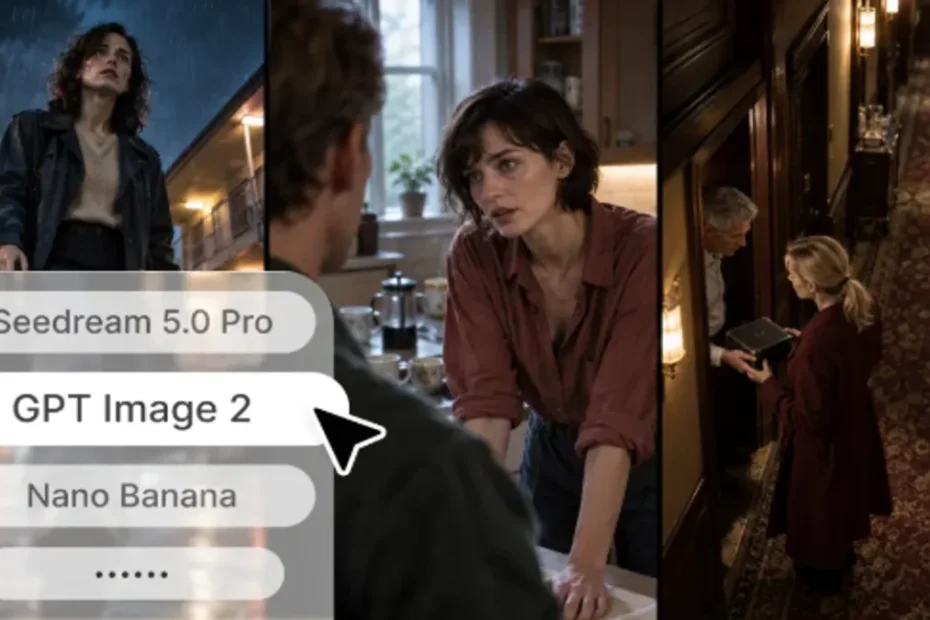
At its simplest, a free ai image generator, Dreamina’s among them, takes a written description and produces a picture that matches it. You describe a scene, the model interprets the words, and a few seconds later you have several candidate images to choose from. Most people discover that the first result is rarely the final one. The real work happens in the second, third and fourth attempts, when you adjust the wording and narrow in on what you actually had in mind.
The word free deserves some honesty. In practice it usually means a limited number of generations per day or per month, lower output resolution, slower queues during busy hours, or restrictions on certain features. Some platforms add a visible watermark to unpaid output. None of this makes free tools useless. It simply means you should treat them as a way to draft, test and decide, and read the terms carefully before you rely on a result for anything customer-facing.
Where Free Tools Earn Their Keep
Blog headers and article illustrations
Editorial images are the easiest win. A post about remote work habits does not need a photograph of a laptop on a wooden desk, which every other article on the topic already uses. A generated illustration of a kitchen table turned into a quiet office, painted in soft morning light, gives the page a point of view. Because you control the subject, you can match the image to the argument instead of hunting through stock libraries for something close enough.
Social media graphics and campaign mockups
Social teams work under brutal deadlines, and a free generator is useful for background art, quote card textures and rough campaign directions. A small bakery, for example, might generate five moods for a spring promotion, pastel and minimal, warm and rustic, bold and playful, and show them to the owner before anyone opens a design program. The conversation about direction happens in ten minutes rather than two days.
Concept sketches before commissioning a designer
Freelancers often struggle to explain a visual idea in words. A handful of generated references gives a client something to react to, and a human illustrator something to work from. Used this way, the tool supports professional designers instead of replacing them, because it sharpens the brief before paid hours begin.
Choosing a Tool Without Wasting an Afternoon
There are dozens of options, and they differ in prompt accuracy, style range, speed and licensing language. Rather than reading reviews for hours, pick a short set of prompts that reflect your real work, such as a product on a plain background, a lifestyle scene with people, and an abstract concept, and run them through each tool. If you want a straightforward place to start that comparison, the browser-based tool from Dreamina lets you test prompts without installing anything, and you can see within a few attempts whether the style suits your content.
Pay attention to how each tool handles revisions. Some let you tweak a result, vary it, or upscale it, while others force you to start over each time. For anyone producing images weekly, that difference matters more than a slightly nicer first output.
How to Write Prompts That Do Not Look Generic
Generic prompts produce generic images. Writing ‘a happy team in an office’ will give you the same glossy scene millions of people have already seen. A stronger prompt names the subject, the setting, the light, the composition and the mood. Compare the first version with this one: ‘three colleagues reviewing printed proofs at a cluttered studio table, late afternoon sun through tall windows, shallow depth of field, documentary photography style.’ The second tells the model what to emphasize and what to leave out.
A few habits help. Describe one clear subject rather than five competing ones. Mention the medium you want, such as watercolor, flat vector illustration or film photograph. State the aspect ratio you need before generating, since cropping a square image into a banner usually cuts off the part you liked. And keep a simple document of prompts that worked, because a good prompt is a reusable asset, much like a design template.
A Realistic Weekly Workflow
Consider a freelance travel writer who publishes two articles a week. On Monday she drafts both pieces and notes the visual idea for each. On Tuesday she spends twenty minutes generating headers, choosing one per article and discarding the rest. Anything with odd hands, garbled lettering or an uncanny face gets rejected immediately. The chosen images then go through a basic editor for cropping, color adjustment and file compression so the page loads quickly. Total effort is modest, and every article ends up with a header that actually relates to its content.
Notice what stays human in that process: deciding the visual idea, judging the output, and finishing the file. The generator handles the part that used to require a license fee or a favor from a designer friend.
Licensing, Disclosure and Other Practical Cautions
Before publishing, read the usage terms of whichever tool you use. Some platforms allow commercial use of free-tier output, others limit it, and policies change over time. Avoid prompts that imitate a living artist by name or reproduce a brand logo, since both invite disputes regardless of what the software permits. If your publication has a policy on disclosing AI-assisted imagery, follow it, and when in doubt, a brief caption note is cheap insurance.
Accessibility deserves a mention too. Generated images need descriptive alt text just like photographs, and any text embedded in an image should be checked carefully, because current models can still misspell words or produce lettering that looks right at a glance and wrong up close.
Frequently Asked Questions
Are free AI image generators good enough for professional use?
They can be, for the right tasks. Blog illustrations, social backgrounds, mood boards and concept art are all realistic uses. Work that needs precise text, exact brand colors or legal certainty about licensing usually calls for human review or a paid plan with clearer terms.
What limits do free AI image generators usually have?
Common limits include a cap on daily or monthly generations, reduced resolution, slower processing at peak times and restrictions on advanced features. The details vary by platform and change often, so check the current terms before planning a project around a free tier.
Can I use free AI-generated images commercially?
It depends entirely on the platform’s terms. Some allow commercial use of generated output, some restrict it on free plans, and some require attribution. Read the license for the specific tool and keep a record of the version you agreed to.
How do I get better results from a free tool?
Write specific prompts that cover subject, setting, lighting, style and composition. Generate several variations, change one detail at a time, and save the prompts that work so you can reuse them.
Will AI images replace stock photography?
For some editorial and decorative uses they already compete with it, but stock photography still has strengths, particularly for authentic photos of real products, places and people. Most teams end up using both.
Conclusion
Free image generators have lowered the cost of experimenting with visuals to nearly zero, and that alone changes how small teams work. The tools are best understood as fast sketching partners rather than finished-art machines. Treat the output with the same editorial judgment you would apply to any image, read the licensing terms, and build prompting habits that reflect your own style. Do that, and a free tool can quietly improve every piece of content you publish.
Keep Reading
How an Instagram Marketing Consultant Helps Brands Build a Stronger Online Presence
Chicago Cubs vs Milwaukee Brewers: Full Player Stats, Game Recap & Rivalry Breakdown
Gojo Satoru: The Strongest Sorcerer Who Changed Everything (and Nothing)
Vyvymanga Down? Why It Fails, What the Risks Are, and Where to Read Instead

Honeytoon Comic: The Complete Guide to Reading Webtoons and Manhwa