What Is a Comic Background?
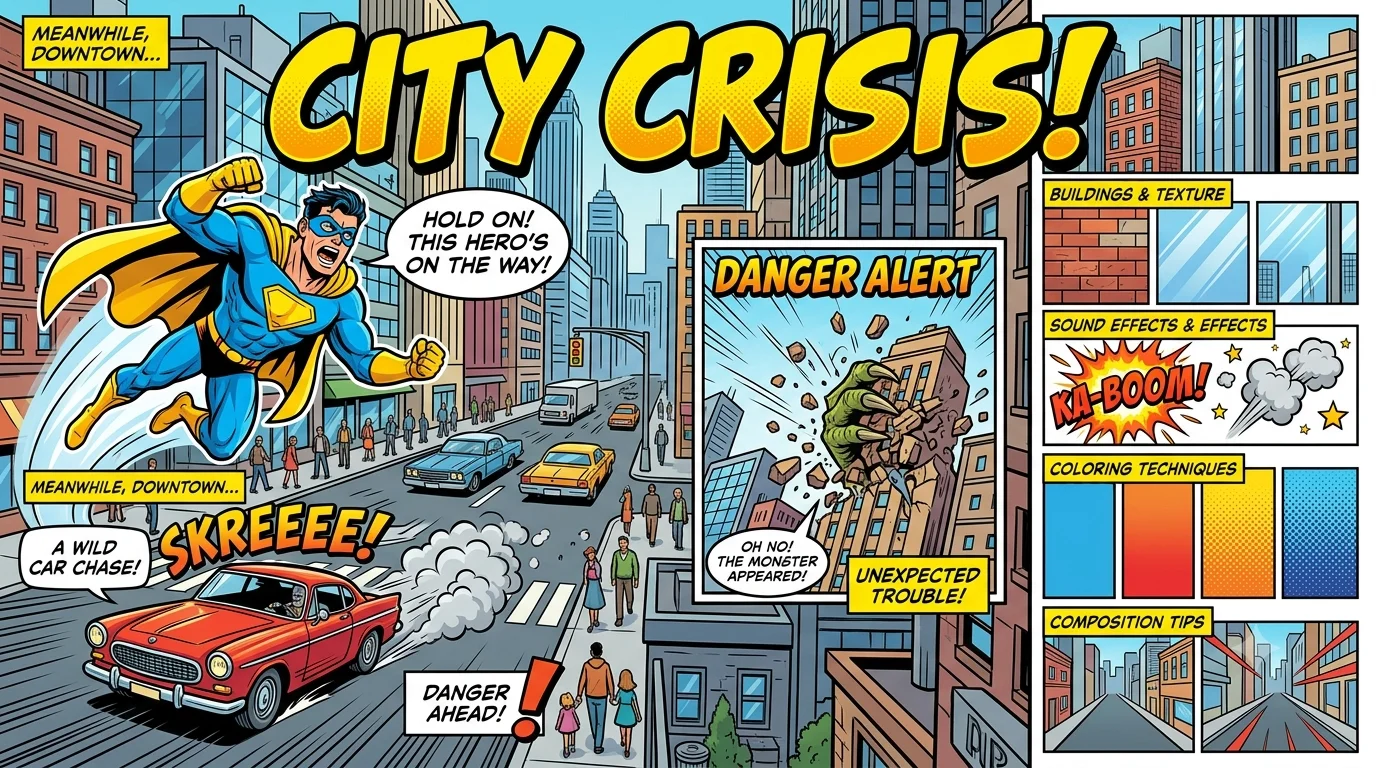
A comic background is the visual setting inside a panel that gives readers a sense of place, time, and mood. It includes everything from a simple bedroom wall to a sprawling alien planet. Without it, characters float in empty space and stories lose their grip. Every comic background you create anchors the action and shapes the emotional tone of the scene.
A strong comic background never distracts from the characters. It supports the story by adding context. A cracked window, a rain-soaked street, or a distant mountain tells the reader something important without a single word of dialogue. Mastering this skill turns a good comic into one that feels alive.
Why Comic Backgrounds Matter for Storytelling
Comic background elements do heavy lifting for your narrative. They establish the era, hint at a character’s economic status, and even foreshadow danger. A cluttered, dark room packed with old newspapers creates tension instantly. A bright, open field dotted with flowers signals peace and safety.
Readers process backgrounds faster than text. A comic background with graffiti on a brick wall instantly sets an urban, gritty atmosphere. Background details can also show the passage of time. A clock’s moving hands, a growing pile of dishes, or a sunset slowly deepening across three panels moves the story forward without a single line of exposition.
- Backgrounds set genre expectations: noir alleys, sci-fi neon grids, or fantasy forests.
- They reveal character traits through personal environments.
- Backgrounds control pacing—complex scenes slow reading, minimal ones speed it up.
Essential Styles of Comic Backgrounds
Artists use distinct comic background styles to match the story’s tone. Knowing which style to pick saves hours of frustration and keeps the art cohesive.
| Style | Visual Signature | Best Used For |
|---|---|---|
| Line-Art Background | Clean black-and-white inked lines, no shading | Quick gags, daily strips, webcomics |
| Halftone Pop Art | Ben-Day dots, bold flat colors | Superhero comics, retro throwbacks |
| Manga Screen Tone | Grayscale dots, gradient sheets, dynamic speed lines | Emotional manga, shonen action |
| Painted/Textured | Watercolor, gouache, or digital paint strokes | Graphic novels, cover art |
| Flat Vector | Solid shapes, no gradients | Modern digital comics, infographic styles |
| Photographic Hybrid | Filtered real photos combined with line art | Webtoons, experimental graphic novels |
Every comic background style you choose sends a message. A halftone pop art comic background instantly signals a Silver Age superhero feel. A softly painted watercolor backdrop whispers melancholy and memory.
Classic Hand-Drawn Comic Background Techniques
Traditional inking methods still deliver a timeless comic background. Artists often begin with a light blue pencil underdrawing to block out perspective. Then they ink using a brush, dip pen, or fineliner. Varying line weight builds depth—thick lines for foreground objects, thin lines for distant buildings.
Hatching and crosshatching add shadow and texture without needing color. A brick wall drawn with careful parallel lines looks solid and real. Stippling, or dotting with a pen, creates a gritty comic background texture perfect for stone and concrete. Speed lines behind a running character inject motion into a static panel.
- Use a T-square and ruler for architectural elements like windows and doors.
- Apply a French curve to draw smooth, flowing organic backgrounds.
- White ink or correction fluid adds highlights on dark areas.
Digital Tools for Creating a Comic Background
Modern artists build a comic background faster with apps that handle perspective, textures, and patterns. Clip Studio Paint stands out with its built-in perspective rulers, 3D model imports, and massive screen tone library. Artists drop a 3D model of a city, trace the outlines, and immediately have a foundation for their comic background.
Adobe Photoshop remains a powerhouse for painted backgrounds. Custom halftone filters, layer masks, and brush packs let you craft a unique comic background texture. Procreate on iPad gives you natural pencil and ink brushes combined with instant canvas playback to review your process.
- Clip Studio Paint: Perspective rulers, 3D backgrounds, tone libraries.
- Photoshop: Halftone filters, layer styles, robust brush engine.
- Procreate: Intuitive touch gestures, time-lapse export, large canvas.
- Krita: Free, open-source, and excellent for textured brushes.
Art software documentation from official Adobe and Clip Studio Paint help pages confirms that non-destructive layering—separating a comic background onto its own layer—saves massive editing time later.
How to Use Halftone and Ben-Day Dots Effectively
A comic background filled with halftone dots instantly channels retro energy. Halftones replace gradients with dots of varying size and spacing. Royal Lichtenstein’s pop art famously used oversized Ben-Day dots, and comic creators continue the tradition for cheap, striking color effects.
Apply halftone to shadows on a city wall or sky gradient. Keep the dots consistent in size within each object; mixing multiple dot frequencies in one panel creates visual noise. Modern software lets you control the dot shape—round, square, line, or even star—to give the comic background a custom personality. Too many dots can overwhelm the panel, so use them on specific elements like the floor or a sunset backdrop rather than covering the entire page.
Retro Comic Backgrounds: The Pop Art Influence
Pop art celebrated commercial printing, and that visual language became the default for a vintage comic background. Bold primary colors, thick black outlines, and dot-printed shading appeared everywhere from Roy Lichtenstein’s gallery pieces to mass-market Golden Age comics. The “Kirby Krackle” technique, popularized by Jack Kirby, filled space backgrounds with dense clusters of black dots to suggest cosmic energy.
To recreate a retro comic background, limit your palette to red, yellow, blue, and black. Add off-register printing effects by slightly shifting color channels in Photoshop. That slight misalignment makes a modern comic background feel like it came off a 1960s press. The Comics Journal’s deep dives into Silver Age printing methods offer rich visual references for any artist chasing authenticity.
Webtoon and Vertical Scroll Backgrounds: Key Differences
Vertical scrolling has reshaped the comic background entirely. A scroll format means panels stretch across thousands of pixels, and a single comic background often serves multiple moments. Artists paint one ultra-long alleyway, then drop the characters in at different heights to show movement down the street. The scroll itself becomes a storytelling device.
White space between panels separates scenes, so backgrounds don’t need a strict border. A sky gradient might run continuously behind three panels to unify a flashback sequence. Because readers scroll quickly, a comic background in a webtoon benefits from bold, instantly readable shapes rather than tiny details that blur on a phone screen.
- Keep backgrounds uncluttered for smaller screen sizes.
- Use long, vertical elements like trees or buildings to guide the eye.
- Color gradients add depth without slowing scroll speed.
Manga Screen Tones and Gradient Backgrounds
Manga artists rely on screen tones to create a comic background packed with emotion. These adhesive sheets or digital equivalents apply dot patterns, sparkles, flowers, or abstract lines directly onto the page. A dark room instantly gains a heavy mood with a dense 60L tone. A shy confession scene floats on a background of soft gradient dots and scattered sparkles.
Gradient backgrounds replace dots entirely for many shoujo and slice-of-life panels. A simple grayscale fade from white to soft gray focuses attention on the characters’ expressions. When the tone shifts to black with sharp speed lines, a comic background signals action or shock. Clip Studio Paint’s official material library houses thousands of these tones, and Japanese publishers have relied on them for decades.
Creating Depth with Perspective and Vanishing Points
Perspective turns a flat comic background into a three-dimensional world. Every indoor room scene needs a horizon line and at least one vanishing point. A one-point perspective places all receding lines toward a single spot on the horizon, perfect for a long hallway or a straight road. Two-point perspective fits a corner street view or a building edge, and three-point perspective adds dramatic height to skyscrapers or deep caves.
Draw your horizon line first, place the vanishing points, and sketch all major structures before adding details. Scott McCloud’s “Understanding Comics” explains how perspective affects reader immersion: a low vanishing point makes the viewer feel small, while a high viewpoint suggests power or omniscience. Keep the perspective consistent, or the reader will feel something is wrong even if they can’t name it.
Background Color Theory for Comic Panels
Color gives a comic background its emotional charge. Cool blues and purples push backgrounds into the distance, making characters feel isolated or thoughtful. Warm oranges and reds advance, turning a background into an active, tense environment. Muted, low-saturation colors keep a comic background subtle, while intense, high-saturation hues scream action.
Complementary color schemes, like orange characters against a teal comic background, create a pleasing visual pop that guides the reader’s eye straight to the subject. Analogous colors—blues next to greens—create harmony in calm scenes. Many artists test their color choices by viewing the page in grayscale to ensure the comic background and characters don’t blend together.
- Use value contrast: light character, dark background; dark character, light background.
- Limit background palette to 2–3 dominant colors per scene.
- Warm light sources (sunset, fire) shift background colors dramatically.
Common Mistakes When Designing a Comic Background
Overcrowding destroys a comic background faster than any other error. When every inch of the panel fights for attention, the reader loses the main subject. Simplify. Backgrounds support the story, they don’t compete. Another common failure happens when the background’s style clashes with the character art. Photorealistic backgrounds behind flat cartoon characters look mismatched and amateur.
Ignoring consistent lighting across panels breaks immersion. If the sun casts long shadows from the left in one panel, those shadows must stay consistent in the next. A comic background also suffers when artists ignore line weight variance. Uniform line weight flattens everything and removes visual hierarchy. Fix these issues early and your backgrounds will feel professional.
Free Resources and Assets for Comic Backgrounds
Not every comic background needs to start from a blank canvas. Clip Studio Paint Assets offers thousands of free 3D classrooms, cafés, and street scenes you can trace and modify. Pexels and Unsplash provide high-resolution photos that you can run through a Photoshop halftone filter to create an instant pop art comic background.
The OpenClipArt library contains vector cityscapes and nature scenes available for commercial use. For manga screen tones, sites like Screentone.me compile classic digital patterns. Always check the license terms, but most assets allow incorporation into your finished comic. Starting with a base asset, then adding your own line art and colors, speeds up the process while keeping the comic background unmistakably yours.
- Clip Studio Paint Assets: 3D scenes, trees, furniture.
- Pexels/Unsplash: High-res photo backgrounds.
- OpenClipArt: Vector landscapes.
- Screentone.me: Free digital screen tones.
Frequently Asked Questions
What is a comic background?
A comic background is the visual environment inside a panel that shows where the action happens. It includes scenery, props, patterns, or colors behind the characters.
How do I make a simple comic background?
Start with a horizon line, sketch basic shapes for walls, ground, and sky, then ink the outlines. Add flat colors or screen tones for depth. Use perspective guides in digital apps to keep lines correct.
What are the best software tools for comic backgrounds?
Clip Studio Paint, Adobe Photoshop, Procreate, and Krita lead the field. Clip Studio Paint’s perspective rulers and 3D assets make it the favorite among professional comic artists.
Why do comics use halftone dots in backgrounds?
Halftone dots mimic old printing methods and add texture without full color gradients. They create retro vibes, shade objects, and keep production costs low on physical prints.
Can I use real photos as comic backgrounds?
Yes. Many webtoon artists filter photos through halftone or posterize effects to merge them with line art. Make sure the photo’s perspective and lighting match your drawn characters.
How do I match the background style to my character art?
Use the same line weight and color palette for both characters and backgrounds. If your characters have thick black outlines, the comic background needs the same outline treatment to feel unified.